Table of Contents
Starting an SMM panel business can be a great way to make money reselling stuff like Instagram followers, YouTube views, or Facebook likes. It's basically a website where people buy these social media boosts, and you connect to suppliers behind the scenes, to automatically process orders for you.
I will walk you through it step by step, keeping it simple and add affordable. You will be able to launch your SMM panel in just a few days and for around $80 + just $2 of monthly maintenance fee’s.
We'll focus on one main way for each part to keep it straightforward, but I'll toss in a quick alternative at the end of each step if you want options. I did some deep digging to make sure this is the best, cheapest way to build your own smm panel, as an smm panel business owner myself.
Aspect
| Aspect | Details |
|---|---|
| Difficulty | Easy: You need basic tech skills like uploading files and setting up a database, but no coding required if you follow guides. If you're new to hosting, it might feel tricky at first, but SMM scripts come with detailed documentation. Plus, you can open a support ticket and ask your hosting provider for help. |
| Time Needed to Launch | 2-3 days: Day 1 for buying script/domain/hosting and for install and setup, Day 2 for styling/providers/testing, and a couple extra days for setting up promotion. If you're experienced or have a lot of time, cut it to 1-2 days total. |
| Initial Budget | $80-120: Covers script ($59), domain (~$12), hosting ($12), plus $10-30 for adding funds to providers. No need for big upfront cash since providers handle fulfillment. |
| Yearly Recurring | $20-30: Domain renewal (~$12), hosting (~$12), script updates (free usually). You also need to add funds to your providers, but that does not really count as cost, since it means you are getting orders and therefore profit. |
Step 1: Buy the SMM Panel Script
First thing, you need the software that powers your site. We're gonna go with SmartPanel from Codecanyon, it's a solid PHP script that lets you run a full SMM reseller panel. You buy it once for about $59 (regular license), and it's yours to install on your own server. It's been around for years, with updates up to version 5.2, and it's still available as of now. Why this one? It's affordable, gets regular fixes, and has over 5k sales with good ratings for ease of use. Plus, it supports unlimited users or orders without extra fees.
Go ahead and buy the official script on this Codecanyon product page. On the same page, you can also see a demo, both for frontend users and backend admin (you).
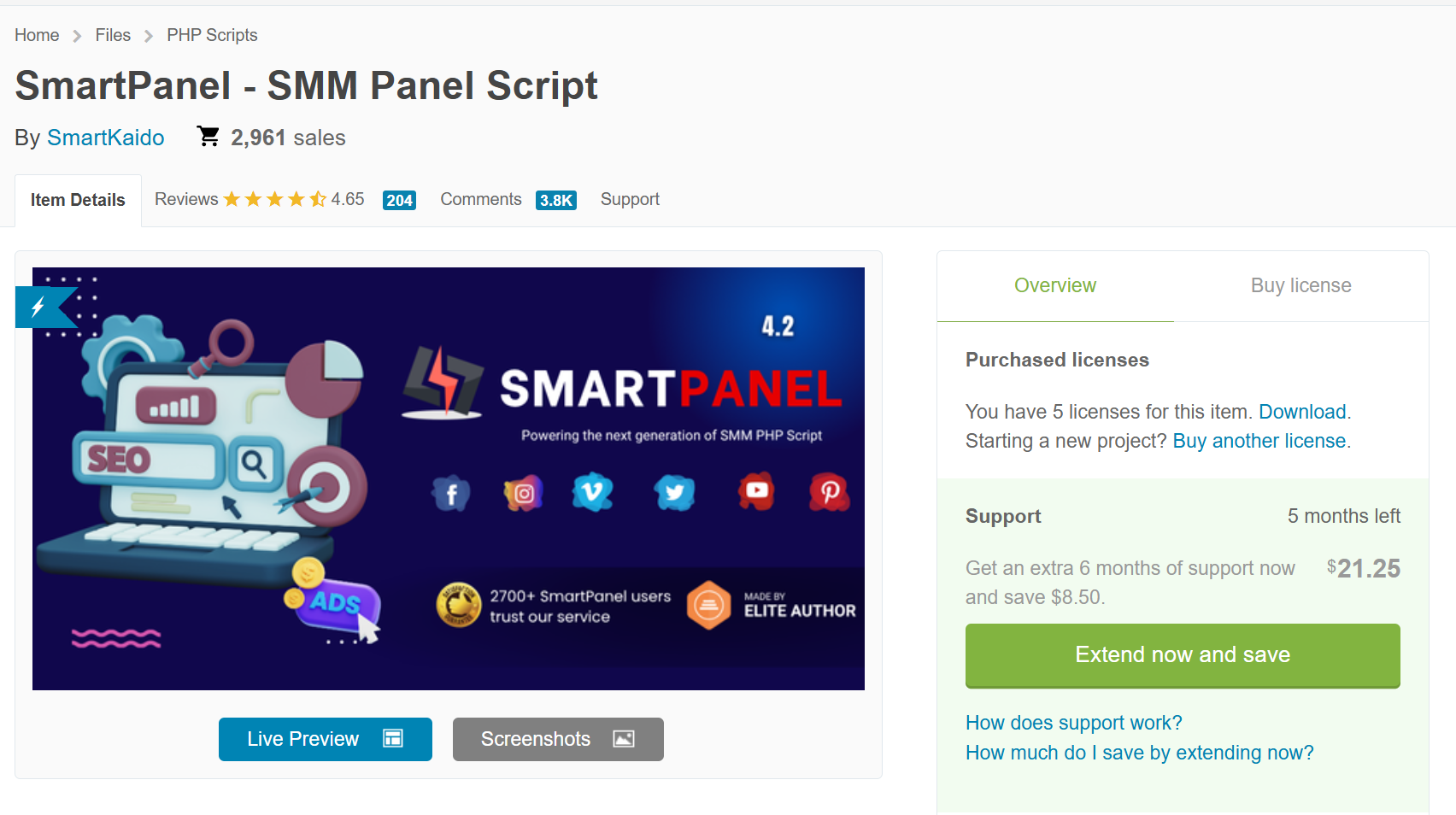
As you see we purchased 5 scripts, and we tried many others, so we know what we are talking about when we recommend you this script!
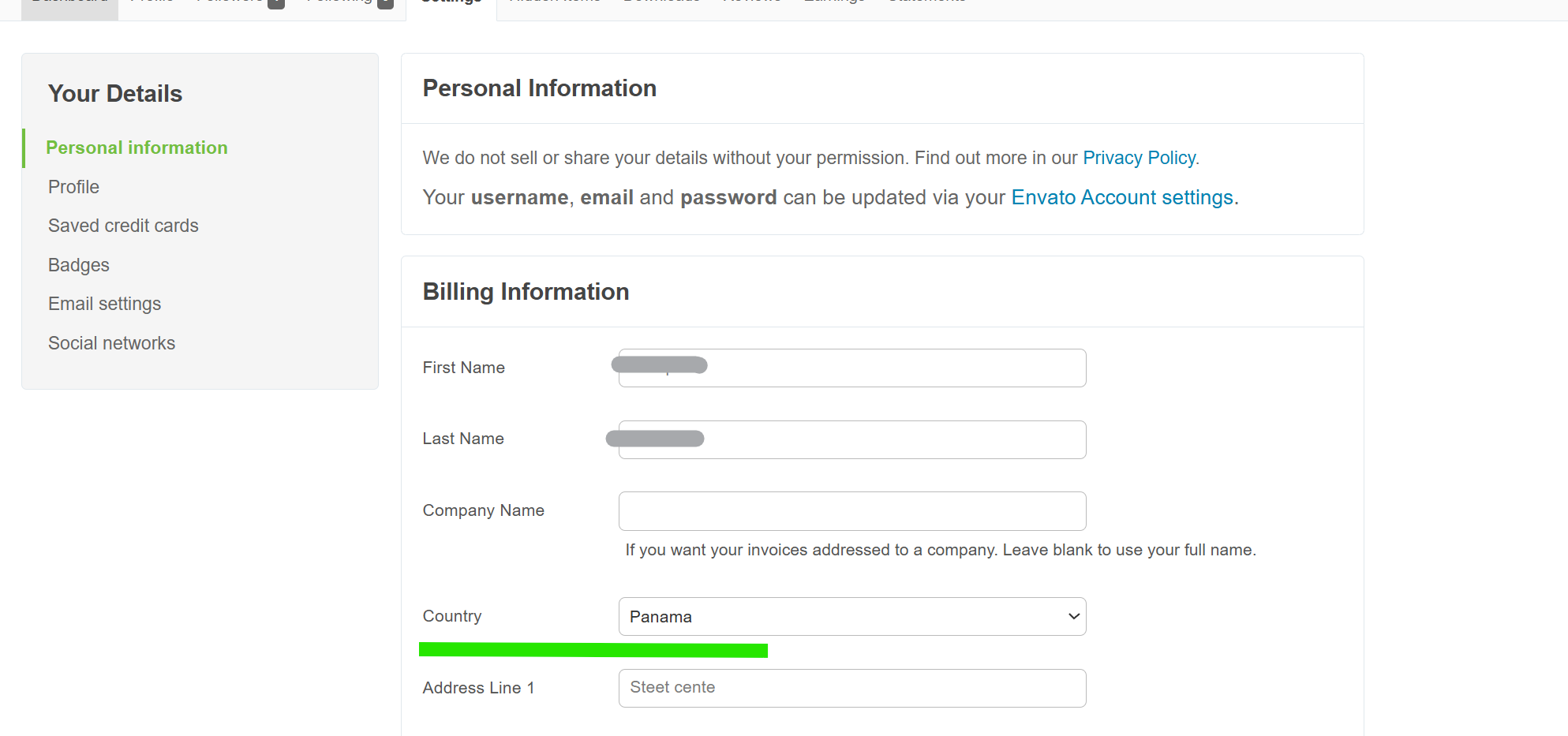
Pro tip: If Codecanyon is charging you VAT at checkout, simply change your country to the United Arab Emirates or Panama in your profile settings. This way, VAT will be 0%.
Quick alternative: If you hate dealing with servers and manual installations, use SMM Panel Script, it's a SaaS (no hosting needed), it’s free up to 10,000 orders per month, then starts at just $5/month, auto-sets up your panel with features like subscriptions, refills, and child panels. Just sign up and customize.
Step 2: Buy a Domain and Hosting
Next, you need a web address and a server to host your script. Focus on Porkbun for the domain, it's cheap, reliable, and beginner-friendly with free extras like privacy and SSL. For hosting, go with Asura Hosting, they're super affordable at $1/month or about $12/year for starters, with good uptime, fast hosting, great support and cPanel.
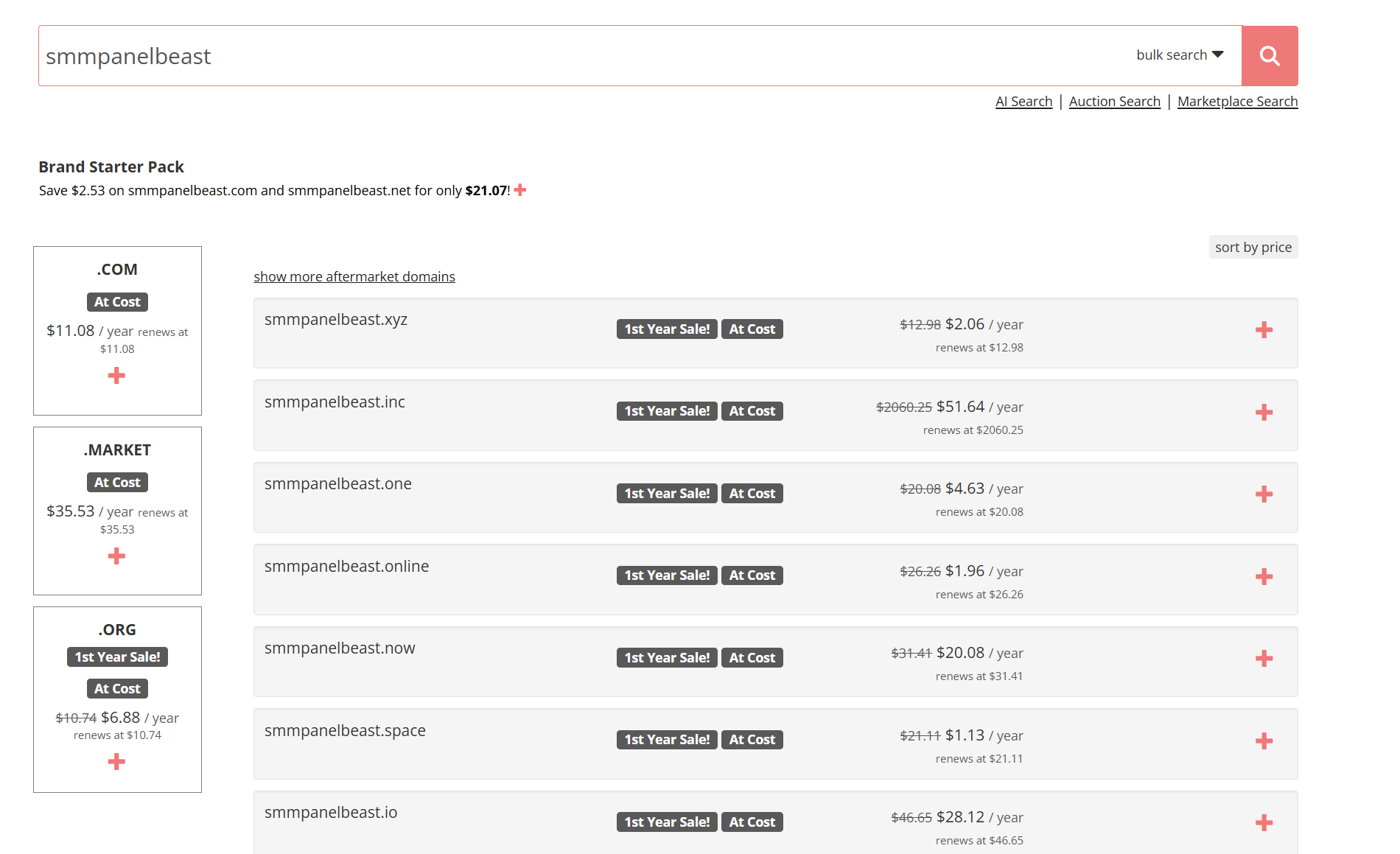
For the domain: Head to Porkbun, it’s one of the most affordable registrars right now. Search for something short and memorable like "smmpanelbeast.com" (stick to .com for trust, avoids spam flags). Prices for .com start around $11-13/year now. You get free WHOIS privacy (hides your personal info from public searches). Pay with card or PayPal, no hidden fees. It's reliable with over 500k customers, and 24/7 support via chat/email. Why cheap? They own their registry, cut costs. After buying, you'll have to change domain nameservers to point to hosting.
For hosting: Sign up at Asura for the cPanel Starter plan $1/mo (billed yearly ~$13), includes 12GB SSD space (plenty for start), unlimited bandwidth, free SSL, LiteSpeed for fast loads (helps SEO and user experience), cPanel for easy management, and 99.9% uptime guarantee. Servers in US/EU/ASIA, 24/7 support, and CloudLinux for security (isolates sites). Most importantly, it meets all the script requirement, it loads fast, and support is fast and helpful, based on my experience with them.
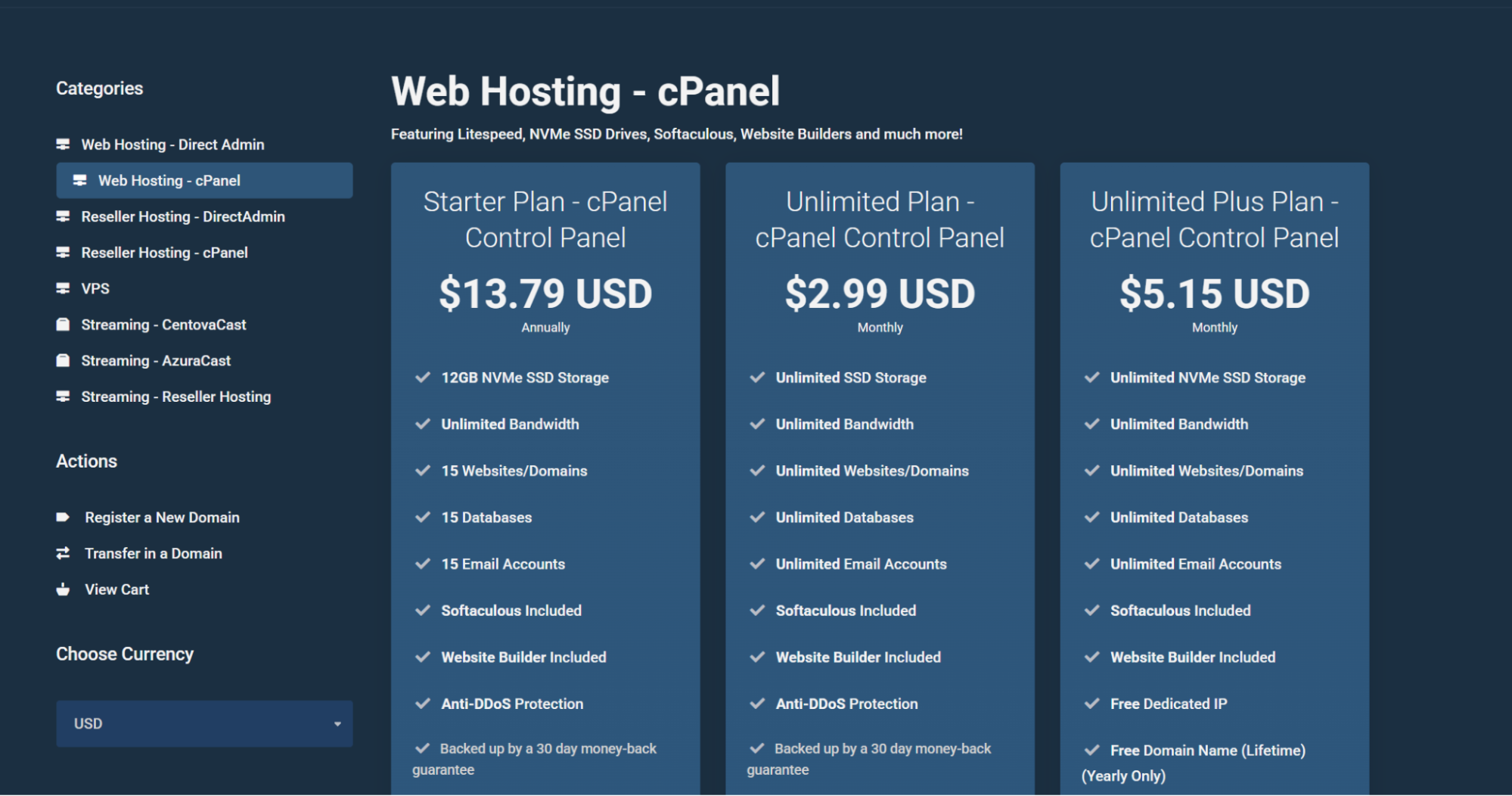
Make sure to pick cpanel hosting as in the image, as it’s much easier to install the script. The starter plan is enough. It’s fast and it comes with 12GB of storage.
When buying a hosting plan, use the domain you just purchased as domain. You will receive an email with the nameserers information. As a result, go to Porkpun and update your domain’s nameseves so that they point at the hosting package. Wait 1 hour for propagation, then install the script. See the images below.
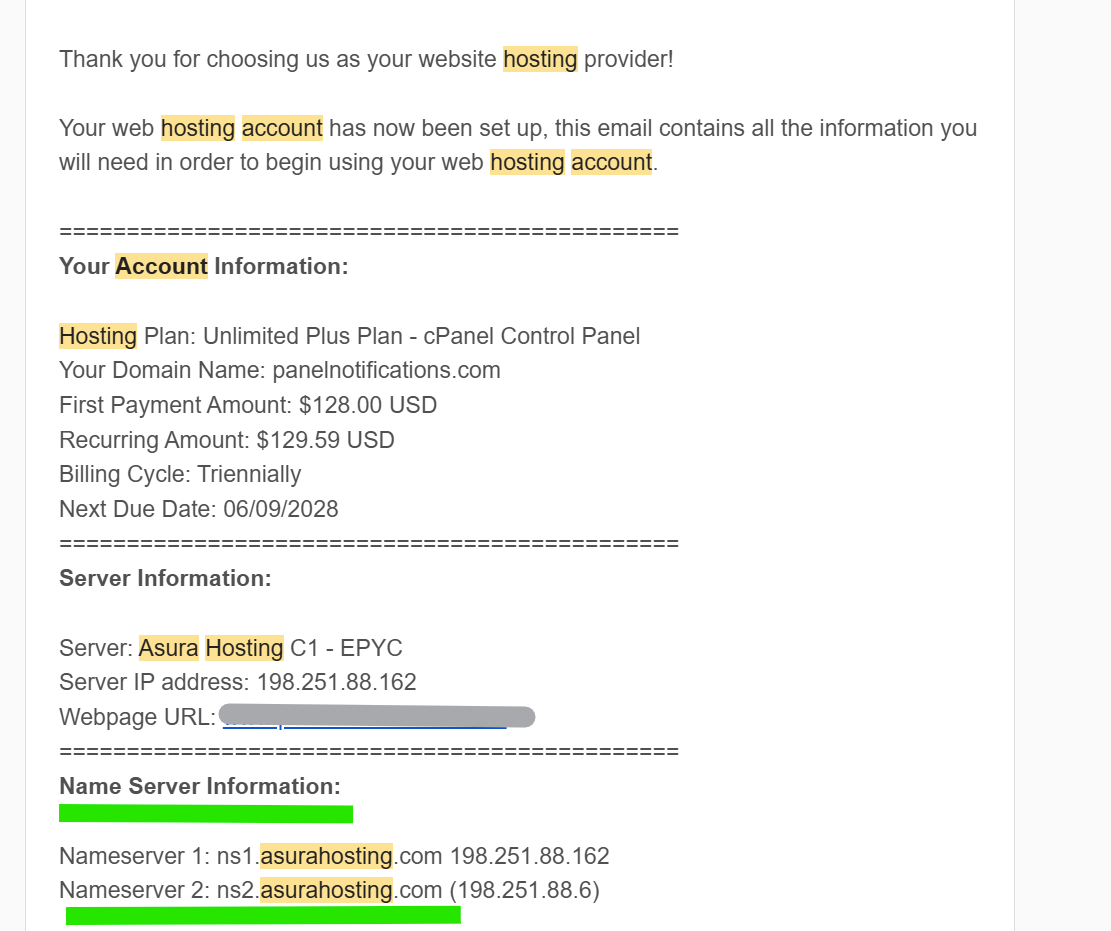
Nameservers information for your hosting account.
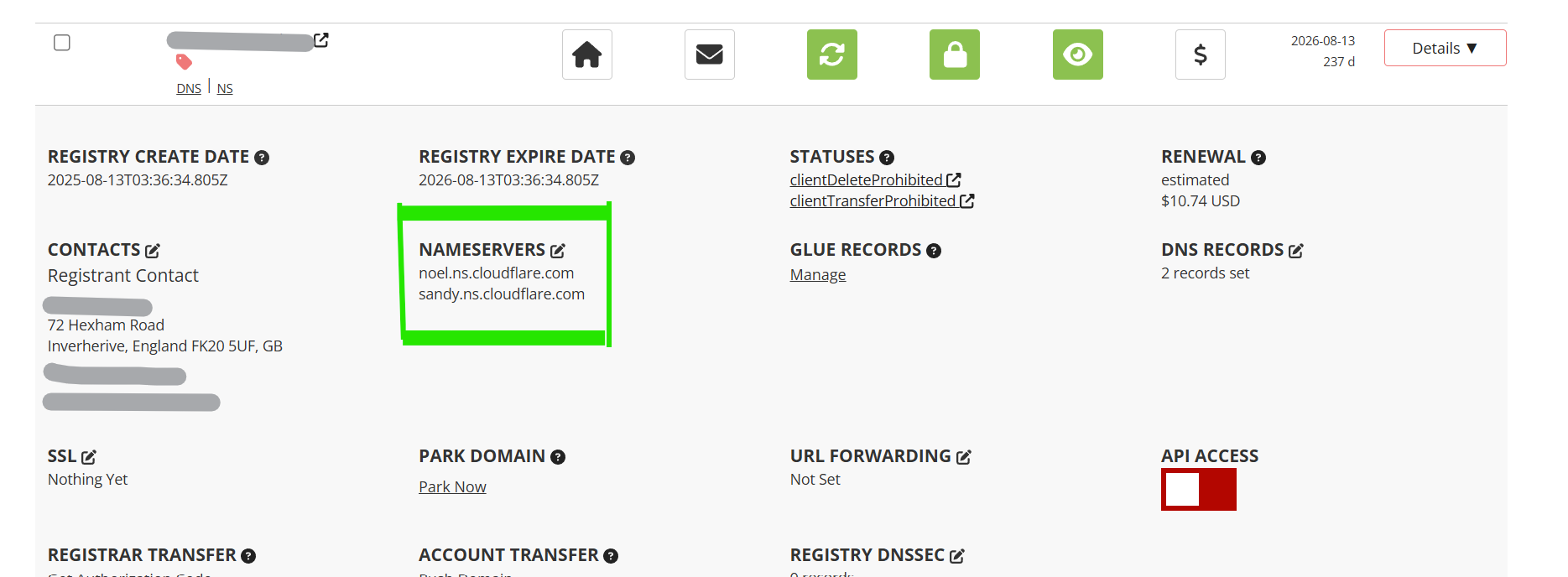
Change nameservers in porkbun as per image. Use the ones you received in your email. If you are experienced, I suggest using Cloudflare nameservers. It’s free and makes your site faster, more secure, and protects your from bad IPs for SEO.
Extra tip: Also set up a free email like [email protected] for pro look and support.
Quick affordable alternatives: For domain, try Spaceship, similar low .com prices around $10-12/year, easy bundles with hosting. For hosting, Hobohost at ~$1.30/mo (~$15.68/year with cPanel), NVMe SSD, free SSL, but fewer reviews.
Step 3: Install the Script
Now that you’ve got your domain and hosting ready, it’s time to install SmartPanel. Don’t worry — you don’t need coding skills. With cPanel, it’s mostly clicking and filling in forms. Here’s how:
I made a video, but you can also follow the step by step instructions with images.
Requirements: Your server needs PHP 7.2-8.2, MySQL 5.7+ or MariaDB, Apache with mod_rewrite on, and extensions like MySQLi, PDO, cURL, OpenSSL, MBString, GD, Zip, intl, fileinfo, plus allow_url_fopen enabled. If your hosting meets this (most do), you're good, it takes 10-20 mins. The hosting we recommend works fine and follows all the requirements , as we used it before for this script.
Part 1: Prepare the Database
- Log in to your hosting cPanel (your host will send you login details, usually yourdomain.com/cpanel).
- Go to MySQL® Databases.
- Under Create New Database, enter a name (e.g., smm_panel) and click Create Database.
- Scroll down to MySQL Users. Add a new user with a username and strong password (save it for later).
- Scroll further to Add User to Database → Select your user and database → Click Add.
- Tick All Privileges → Click Make Changes. ✅
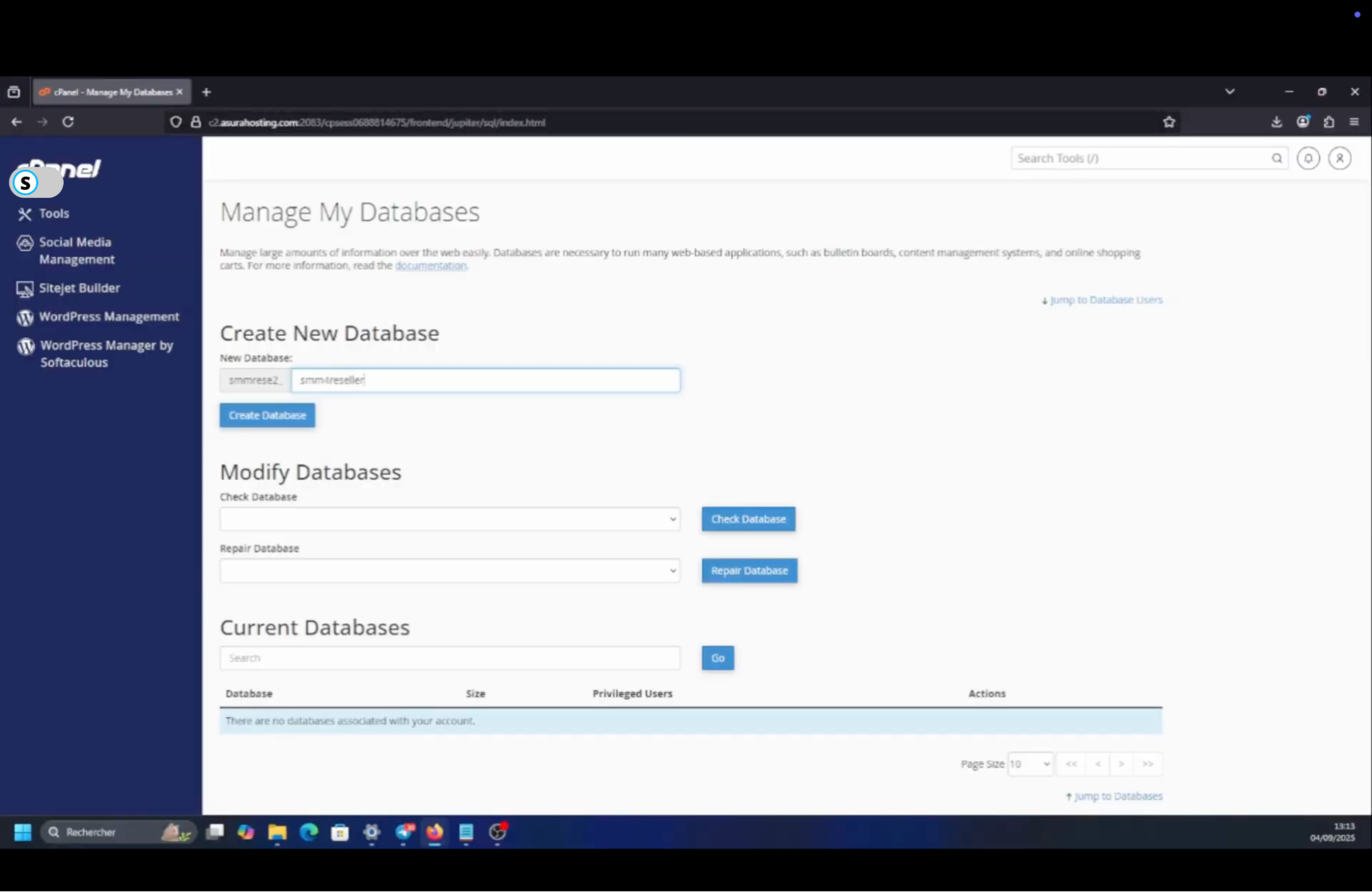
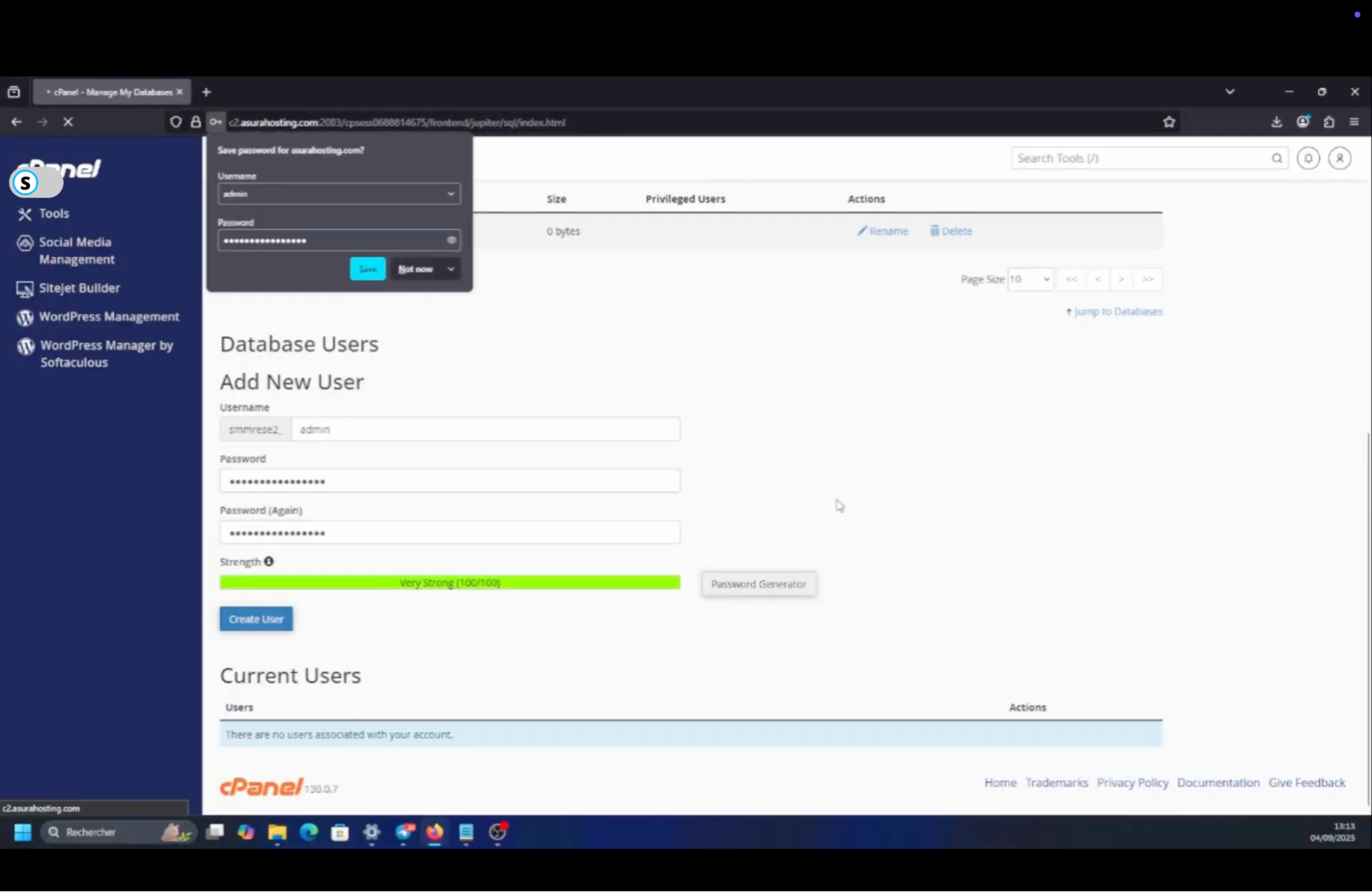
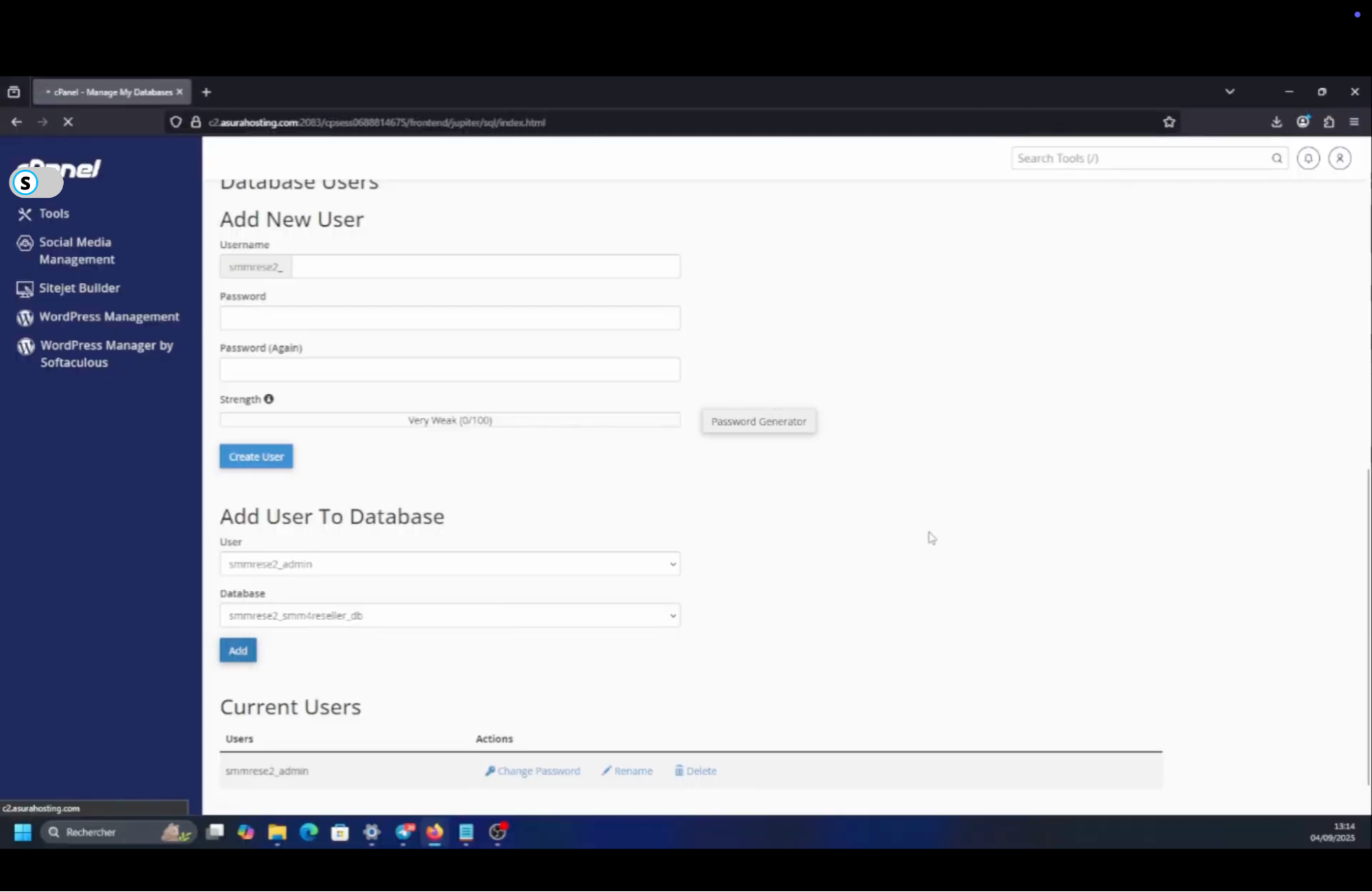
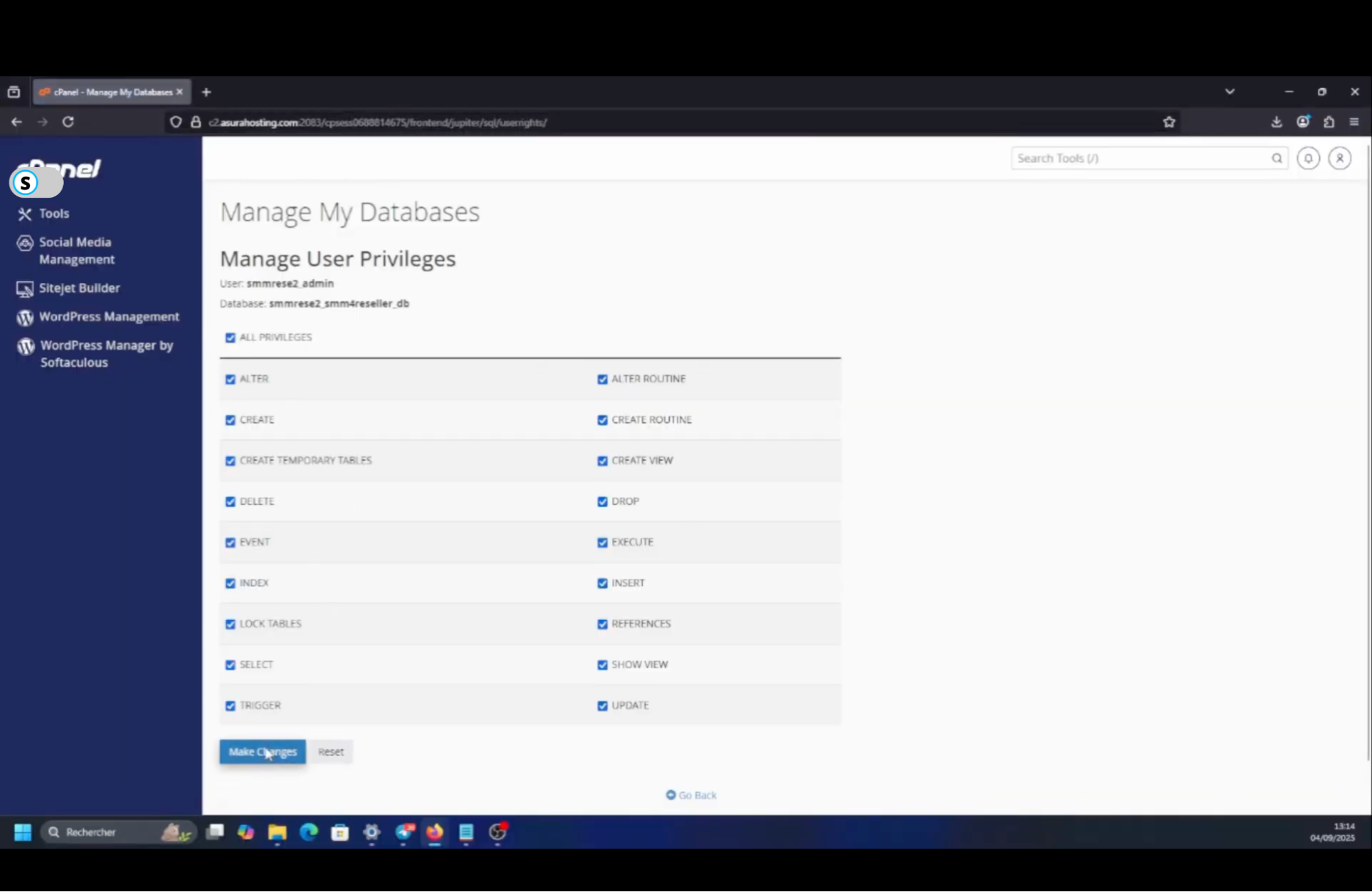
At this point you have:
Database name
Database user
Database password
Keep these three safe — you’ll need them during installation.
Part 2: Upload and Extract the Script
- In cPanel, open File Manager.
- Navigate to the folder for your domain: If it’s your main domain, use public_html. If it’s an addon domain, find the folder that matches the domain name.
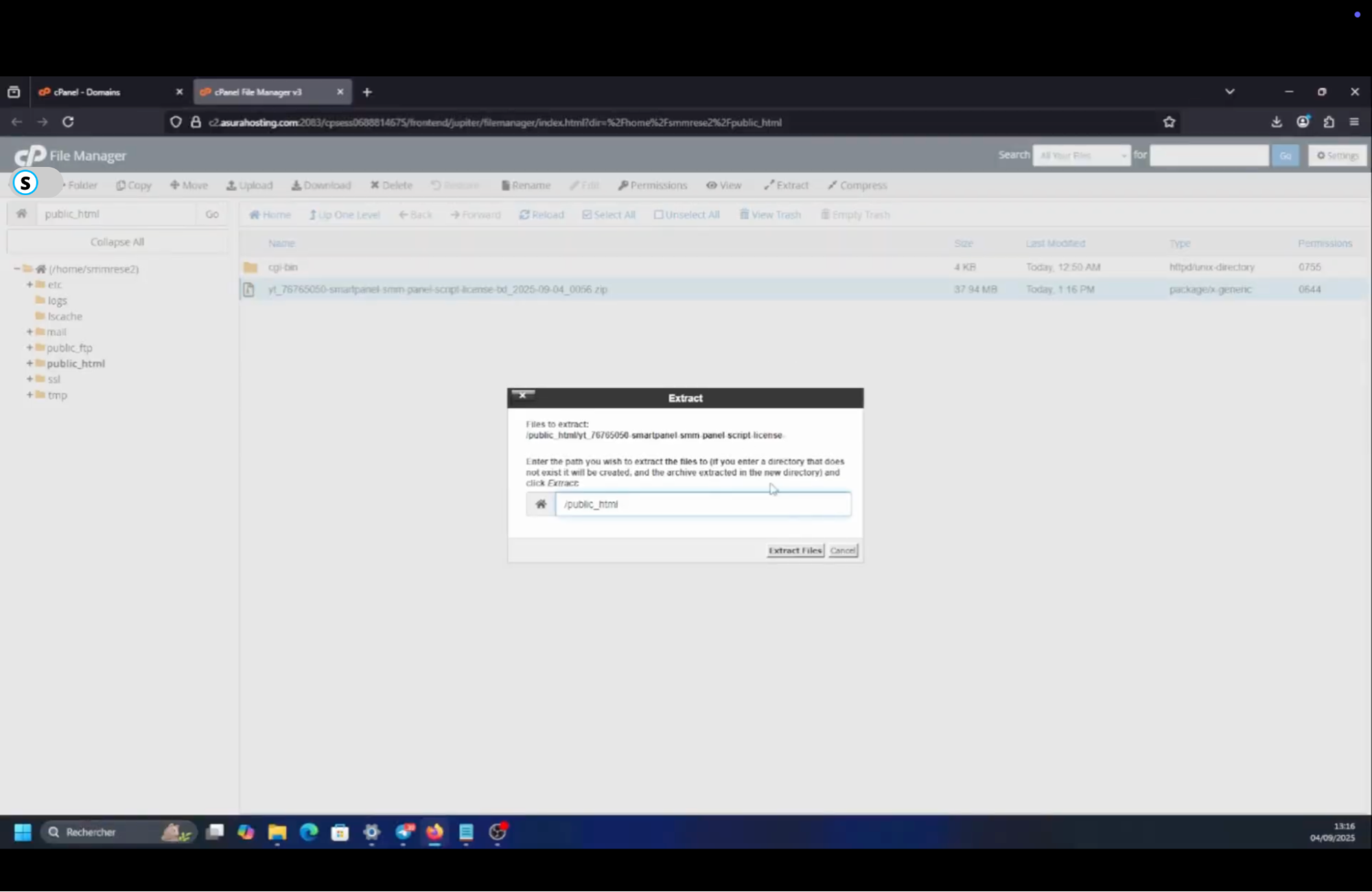
- Click Upload and upload the SmartPanel .zip file you downloaded from Codecanyon.
- Once uploaded, select the .zip file → Extract. This unpacks all script files into your domain folder.
- (If they unpack into a subfolder, move the contents up to public_html or your domain’s root folder.)
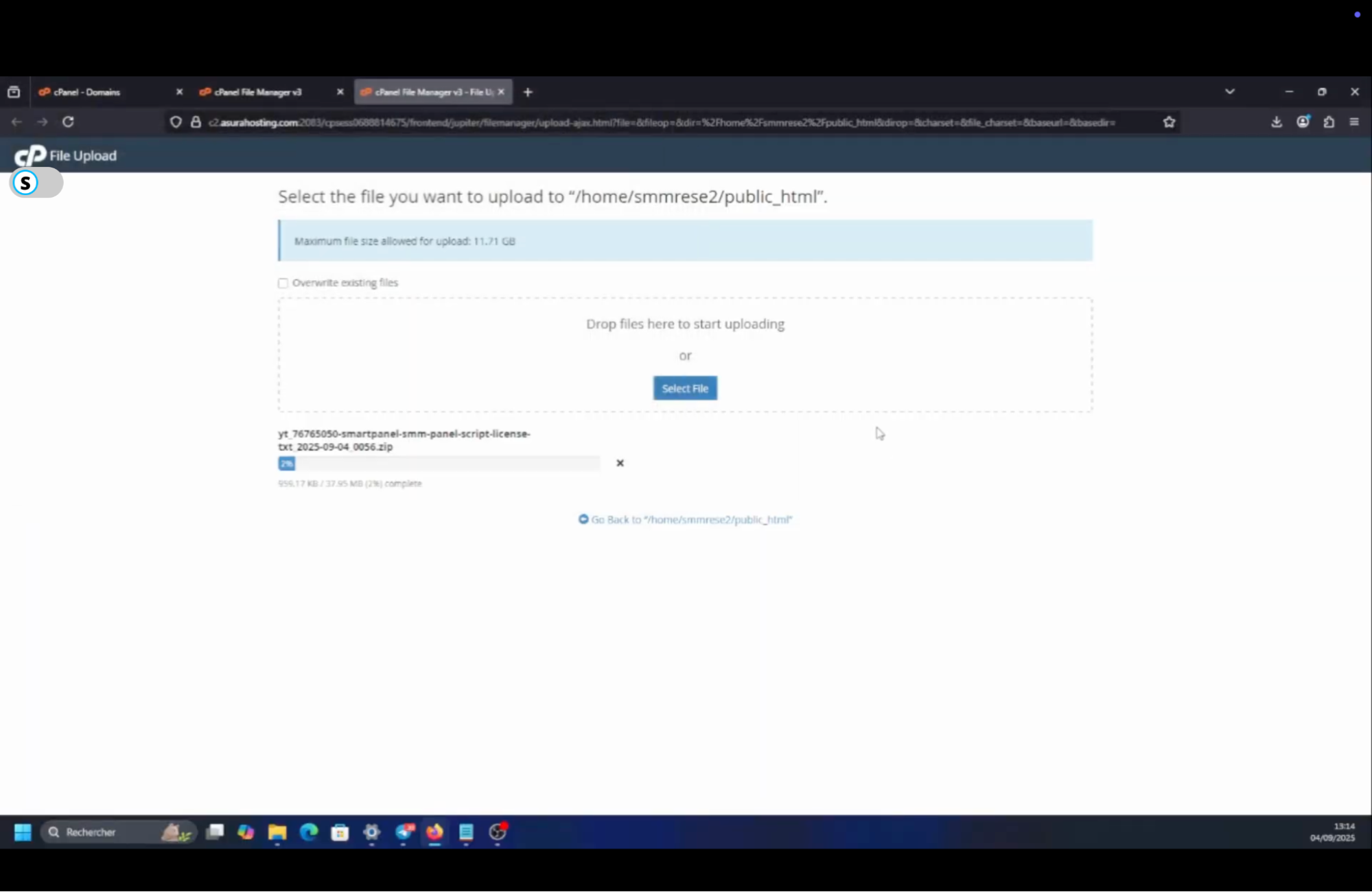
Part 3: Set File/Folder Permissions
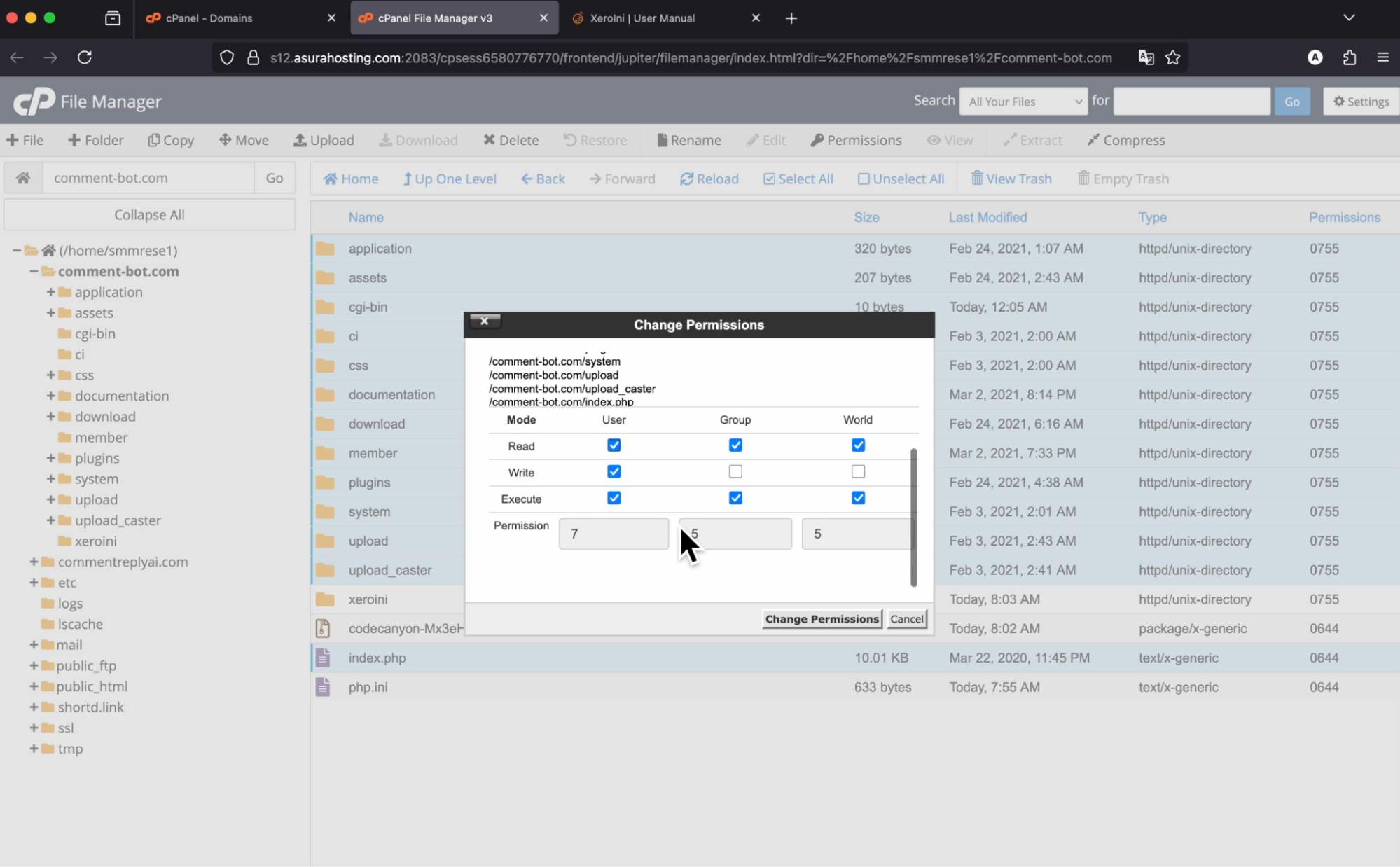
- Most files should be 644 (default).
- Folders should be 755.
- Some writable folders (like /storage or /uploads if present in SmartPanel) may require 775 or 777. 👉 Right-click → Permissions in File Manager to adjust if installation gives errors.
Part 4: Run the Installer
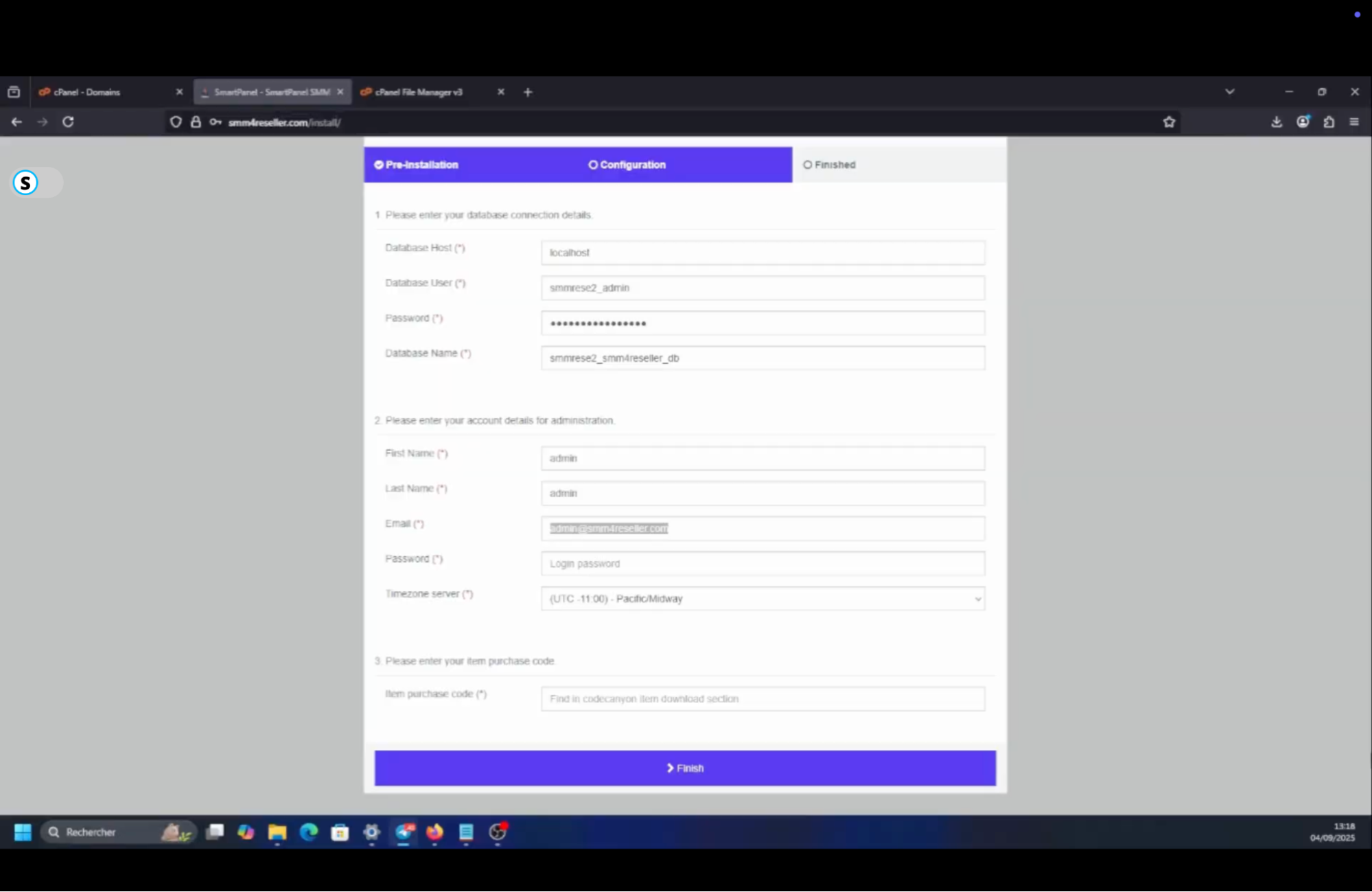
Open your domain in a browser (e.g., https://yourdomain.com). The SmartPanel installer should appear.
Fill in:
- Database Host: localhost
- Database Name: the one you created
- Database User: your user
- Database Password: your password
Enter:
- Site name (you can change later)
- Admin email + password (your login)
- Purchase code (from Codecanyon – required for verification)
Click Install. The installer will set up all tables and config files.
Once finished, delete the /install folder inside File Manager (security measure).
Part 5: First Login & Styling
Go to Admin Dashboard: https://yourdomain.com/admin.
Log in with the email/password you created.
Inside the dashboard, you can now:
- Change site name, colors, and logos.
- Add custom pages (About Us, FAQ, Terms).
- Organize categories and services.
- Enable payment methods (PayPal, Stripe, etc.).
- Add your provider API connections.
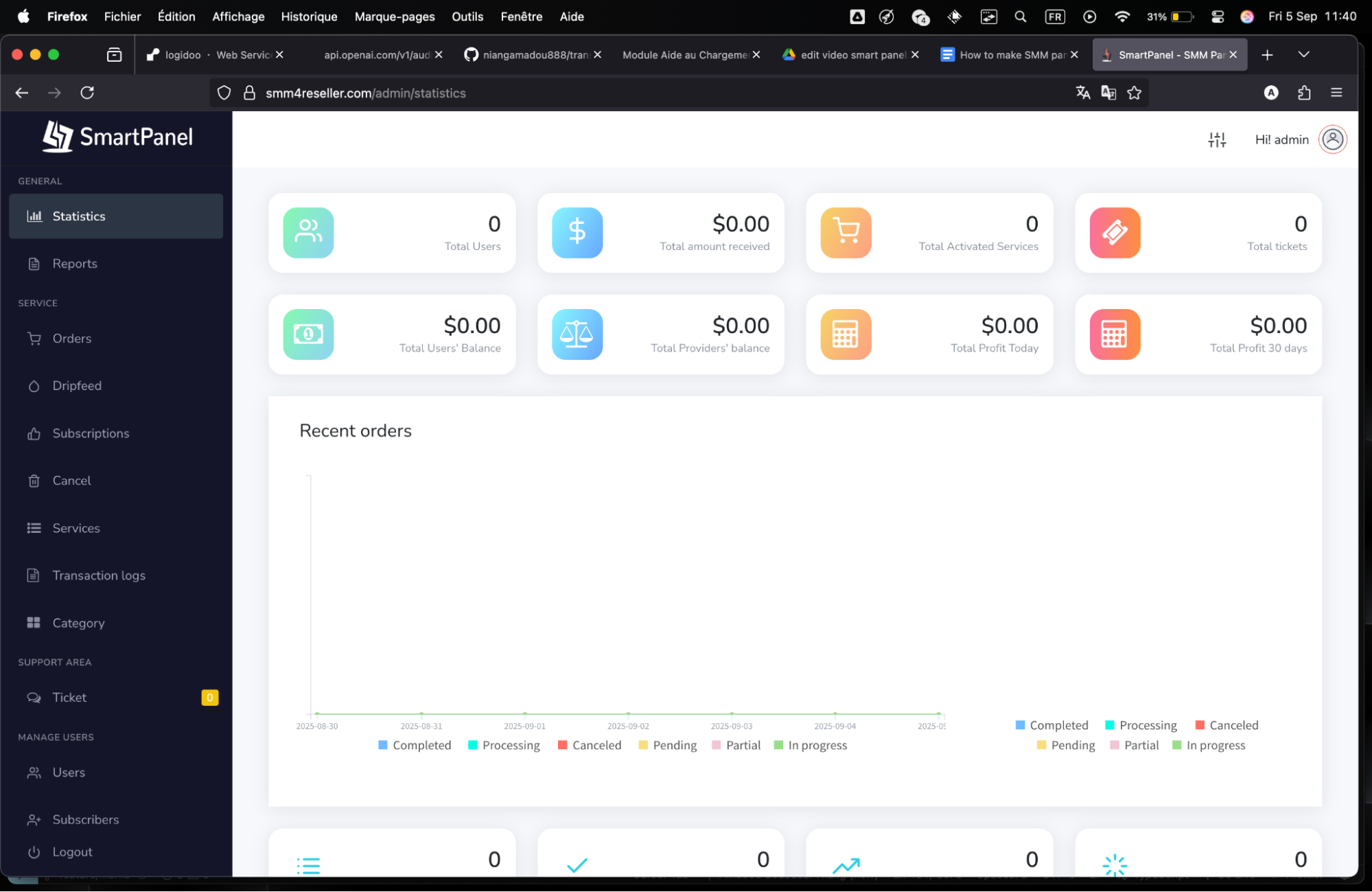
This is where your panel really starts to look professional. No need to edit code — everything is in the SmartPanel admin settings.
Step 4: Import Providers
To sell services, connect to real suppliers via APIs so orders auto-fulfill. Focus on using a site like smmpanels.net to find and compare them, it's a free directory with hundreds of global providers, filters for cheapest/fastest, and user ratings.
Browse the site, check "BestSMM Panels" or search by service (e.g., "Instagram Followers Cheap"). Compare on price (as low as $0.001/like), min/max orders (e.g., 100-10k), speed (instant vs days), refill policy (30-day guarantee at least), and payment options. Pick a reliable one with good reviews and with 24/7 support.
Sign up free, add funds ($10 min usually), get your API key/URL from their dashboard. Test their services manually first (buy small to check quality). In SmartPanel admin, go to "API Providers", add the URL and the API key. Click "Sync Services", it imports their full catalog (thousands of options) with rates, drip-feed settings, and status. Edit to set your prices (add 20-30% markup for profit, e.g., supplier $1/1000 likes, you sell $1.30), enable only good ones, and save.
Set up multiple providers for backup and better serice offering (script supports unlimited).
Test: Place a small order on your panel, check if it forwards via API, updates status via cron. Then monitor for drops (fake engagement vanishes), choose providers with real users if possible. Useful info: Start with 1-2 providers, add more later. Watch for scams, read reviews on BHW or Trustpilot.
Quick alternative: Use smmpaneldeals.com to find smm services and providers, it’s another reliable and popular platform.
Step 5: Promote Your Panel
Getting customers is the hardest part, but build slow for sustainability. Google Ads is tough for SMM panels, they ban fast under policies against fake engagement or deceptive ads (e.g., "Buy Real Followers" gets flagged as misleading). Many get suspended in days, even now, due to strict AI reviews. However, Microsoft (Bing) ads is more chill about it, so you can try promoting your SMM panel there.
Most importantly, focus on SEO, content marketing and organic channels.
1- Create a blog on your site with value like "How to Grow TikTok in 2025 For Cheap",
2- Optimize for SEO. Use tools like Ahrefs for keyword research and site audits (or a similar free alternative) and build backlinks. You can also use SEO Panel, which provides SEO for SMM panels specifically.
3- Share on your socials and manually engage on forums: Answer questions on Reddit on relevant Subreddits, with tips and subtle links (e.g., "I use this panel after testing many"), Quora (SMM topics), or BlackHatWorld (post in marketplace section and offer discounts). Don't spam, build rep first or you will get banned.
4- List on directories. There is many of them. The ones we suggested earlier to find providers are a good option, or just search on google for “smm panel directory”.
5- Other tactics: Join Discord servers for SMM (announce or ad in channels), create FB page with posts/reviews, use affiliates in your panel (10% commissions), email newsletters (collect from signups).
You should track with Google Analytics (free to install), and see where your traffic is coming from to understand which marketing strategies are working best. You can also use an affiliate link, and track accurately how much profit you do.
There you go, that's your full guide. Start small, test everything, and scale as orders come. If you hit snags, check forums or support for the script. Good luck building your SMM empire!
FAQs
Here are some common questions folks ask when starting an SMM panel business, based on what I dug up from guides and forums.
Is starting an SMM panel legal? Yeah, reselling services isn't illegal, but boosting violates platform TOS like Instagram's, so accounts can get banned. You're just a middleman, but advise users on risks. Stay away from scams or low quality services that may endanger your clients accounts.
How much profit can I earn? Varies, starters make $100-500/month with 30 active customers, experienced people can hit $1k-5k+ by scaling to resellers or with more customers. Profit 20-30% per order, and focus on volume.
What if my provider fails or services drop? For a successful business and returning customers, it’s essential to pick reliable providers with refills, low or non-drop, and fast support if needed. Also test small amounts before adding a service and read reviews.
Do I need coding skills? Nope, scripts like SmartPanel are plug-and-play. Basic hosting knowledge helps, but our step-by-step tutorials cover it.
Are there alternatives to SmartPanel? Yes, there are several smm panel scripts. While SmartPanel is the best, another valid alternative is SMMPanelScript.com. Hosting and installation are included, so you don’t have to. More scripts options are available on this blog post.
Can I white-label or resell panels? Yes, SmartPanel supports child panels, charge others $10-50/mo to run their own under you.
What platforms to focus on? Start with popular like Instagram/TikTok/YouTube, add based on demand. Also track the latest trends like short videos or new social media platforms.
How to avoid shadowbans on my site? Use clean hosting, no spam promo (i.e. cold email marketing) and add disclaimers to keep your site SEO friendly. Also track growth and rankings with Google Search Console.